01
Import
Load a recording, transcript or timed SRT file.
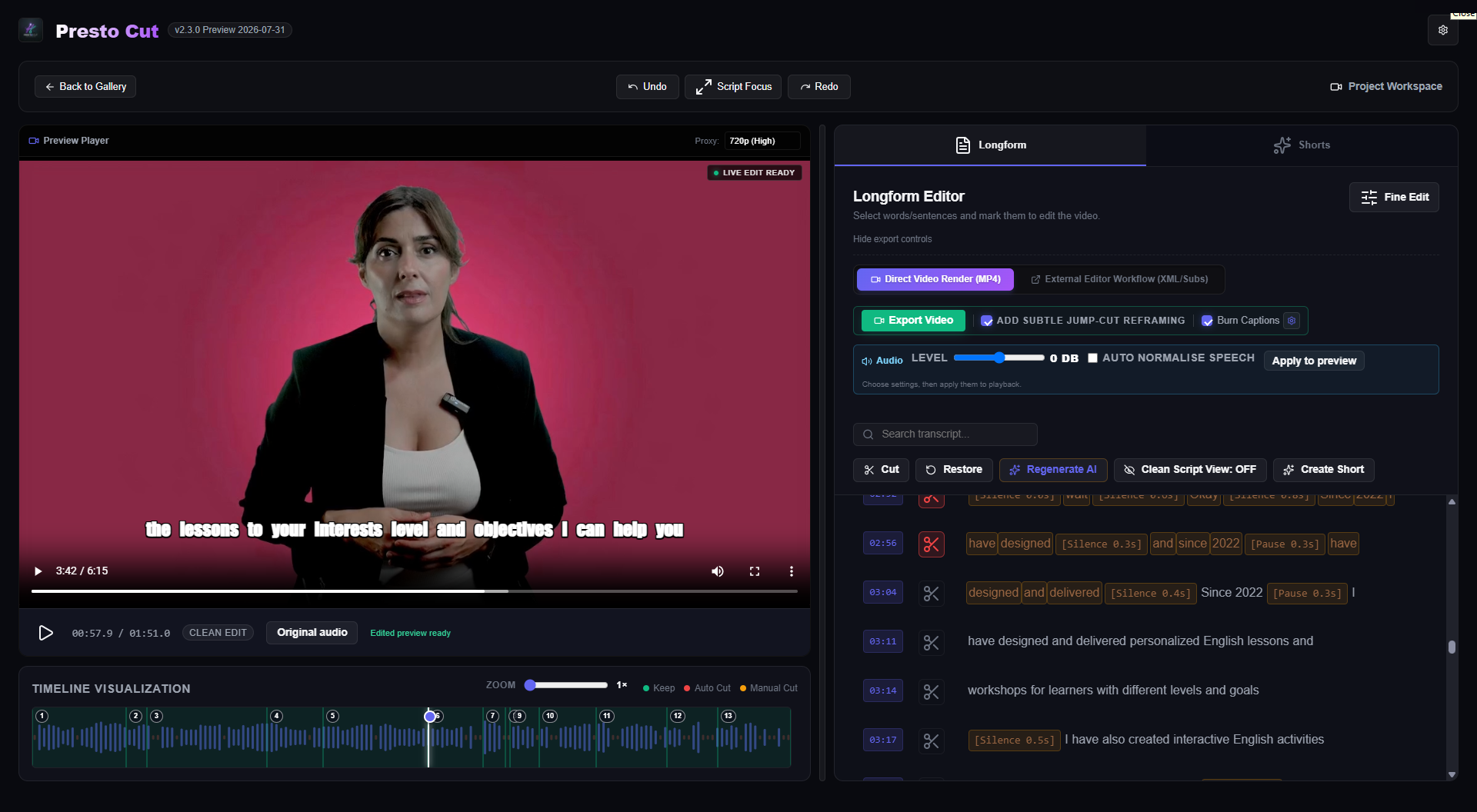
Presto Cut finds pauses, retakes and false starts, then helps turn long recordings into tighter videos and face-tracked vertical Shorts.
Desktop software · Video rendering stays on your PC · Bring your own supported AI API key
Load a recording, transcript or timed SRT file.
Review suggested pauses, retakes and false starts.
Create vertical clips with face-aware tracking.
Choose captions and jump cuts before rendering.
Watch the complete walkthrough or start with the short product overview.
Follow the full workflow from importing footage through cleanup, captions, Shorts and export.
A quick introduction to what Presto Cut does and who it is designed for.
Preview what will be removed, restore anything you want to keep, and decide how the finished video should feel.
Find unwanted gaps and movement before speech, with a timeline you can zoom and inspect.
Work from the spoken words, while retaining access to precise clip boundaries when needed.
AI-assisted passes look for repeated attempts, coughs and false starts instead of blindly trimming every quiet moment.
Generate multiple candidate clips within sensible duration limits and choose the ones worth exporting.
Track the speaker in portrait framing, then preview the crop before committing to the final render.
Use a transcript or upload an SRT, preview caption styling, and burn subtitles into the exported video.
Presto Cut is designed for tutorials, courses, talking-head videos, interviews and creator content—not complicated cinematic timelines.
Connect your own supported API key in the desktop app. Your AI usage is billed by that provider, so the software does not secretly reduce a monthly Presto Cut credit balance.
Your source video and final renders remain on your Windows computer. Audio segments are sent to the AI provider you configure for transcription, and transcript text is sent for the AI features you choose. See the Privacy Policy for details.
Download Presto Cut from the Microsoft Store and try every feature free for three days.
For one creator editing on one main Windows PC.
Install the complete editor from the Microsoft Store and test it with your own footage.
OpenAI usage is billed separately by OpenAI.
The first commercial release is for 64-bit Windows. A macOS version is not currently advertised or included.
No. You connect your own supported AI API key, giving you direct visibility and control over that provider's charges.
No. Cleanup suggestions can be previewed and reviewed in the editor. You retain control over what is excluded and exported.
Yes. You can upload an SRT file to provide subtitle text and timing, then preview the selected caption style.
Yes. The Shorts crop can be previewed so you can check the tracked framing before rendering the final video.
The regular lifetime licence is $79 for one activated Windows computer. The Microsoft Store download includes a three-day trial. OpenAI API usage is paid separately to OpenAI.
Install the Microsoft-approved Windows release, begin the three-day trial and test the complete workflow with your own recording.
Get Presto Cut from Microsoft